Online rehearsal for bands

Play together.
From anywhere.

RehearsalWare puts your whole band in one room over the internet, with a mixer that works like Logic Pro, your own plug-ins, and audio fast enough to play in time.

Version 1.0 · macOS 11 or later · Apple Silicon and Intel

RehearsalWare – Garage Rehearsal
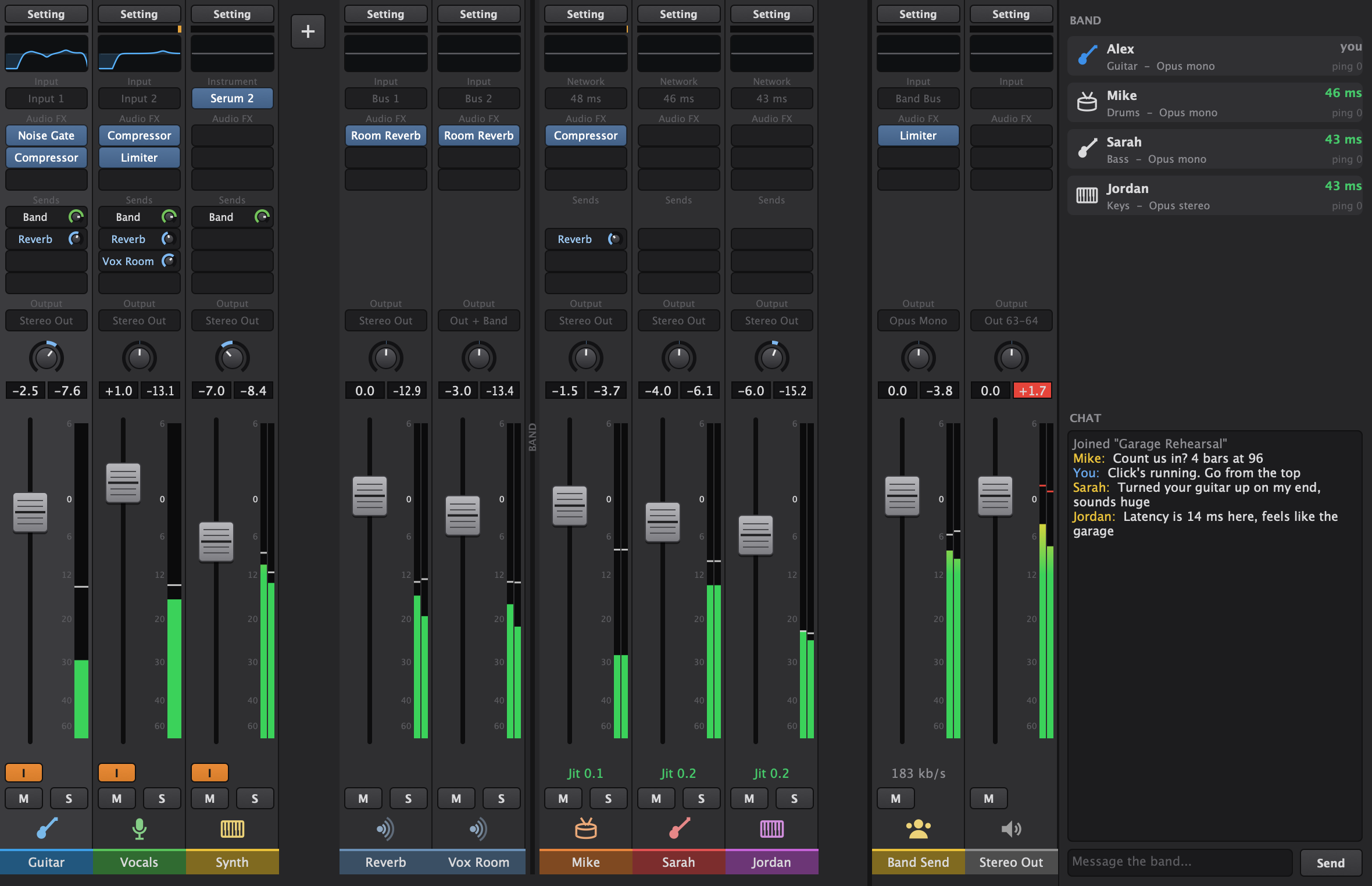
The RehearsalWare mixer during a jam: three local tracks with plug-ins, two reverb aux channels, strips for bandmates Mike, Sarah and Jordan, the Band Send and Stereo Out busses, and the band list with chat.
2.5 msaudio frames on the wire
12players per jam
AU + VST3your plug-ins, hosted live
Your mixeveryone sets their own

Host or join

Start a jam in seconds.

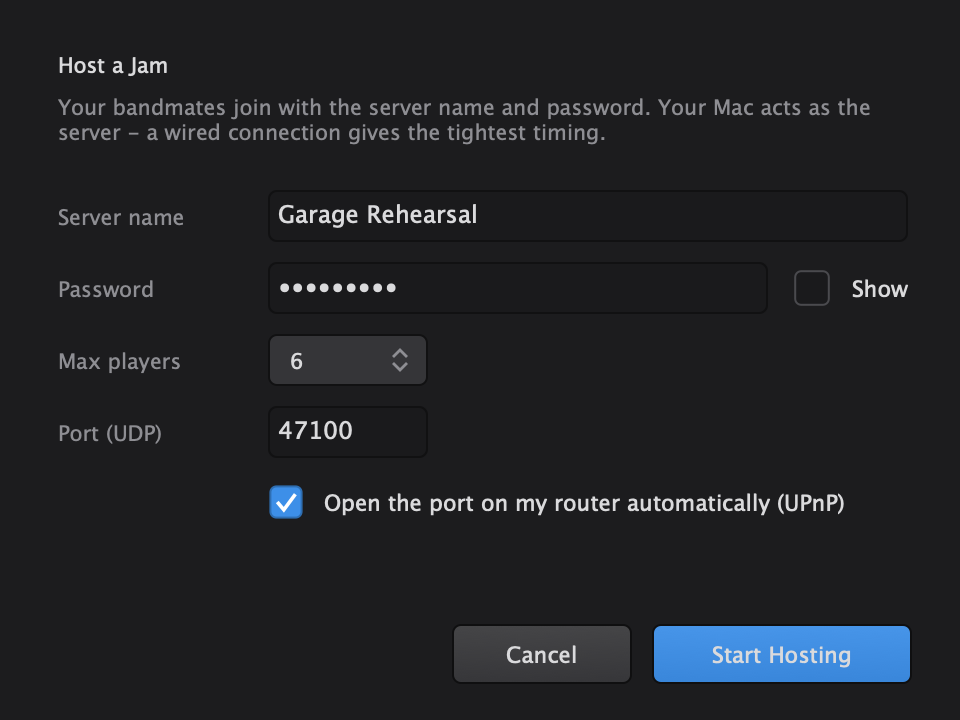
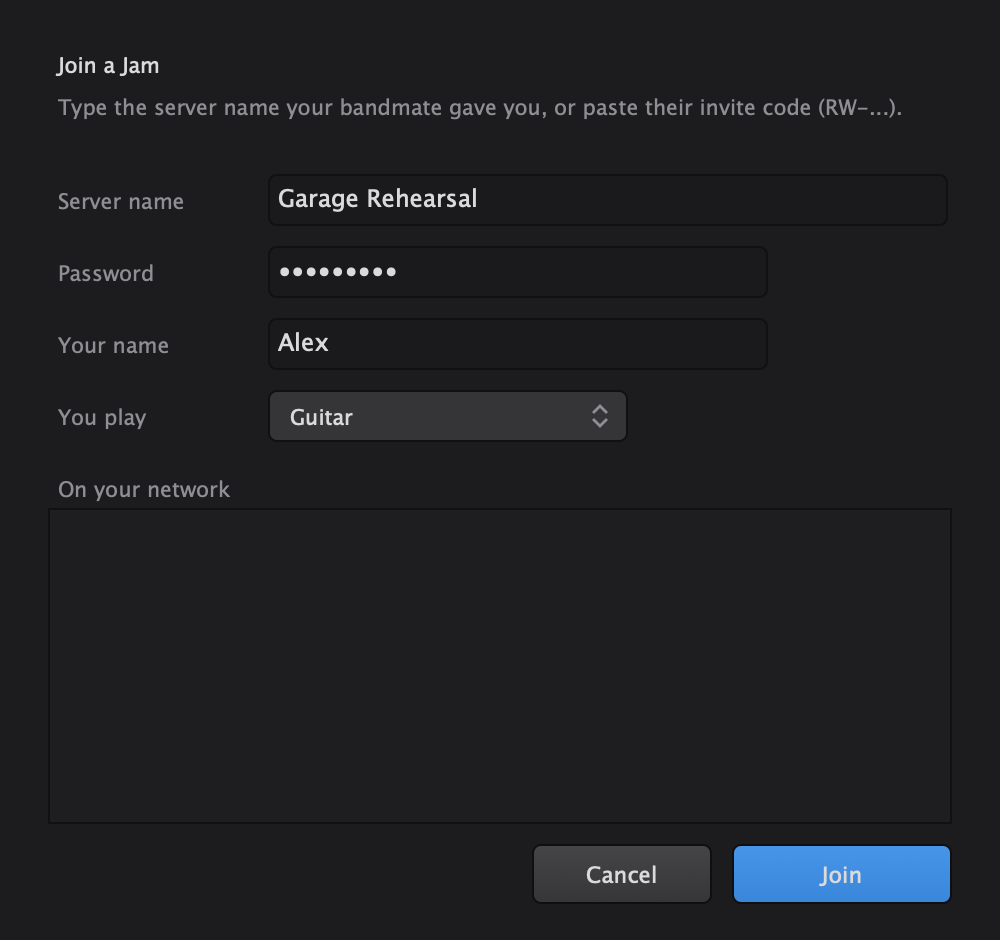
One bandmate hosts from their Mac. Everyone else types the server name and password, and they're in. No accounts, no subscriptions, no server to rent.

  • Same house or studio? RehearsalWare finds the jam on your network.
  • Across town? Send the invite code. It works over the internet.
  • Router port opens itself. RehearsalWare sets it up for you automatically.
The Host a Jam dialog with server name, password, max players and automatic router setup.
The Join a Jam dialog with server name, password, your name and instrument.

Plug-ins and instruments

Your sound. In their ears.

Load the Audio Units you use in Logic, or VST3. Play software instruments like Serum from your MIDI keyboard. Everything runs on your Mac, so your bandmates hear your plug-ins even if they don't own them.

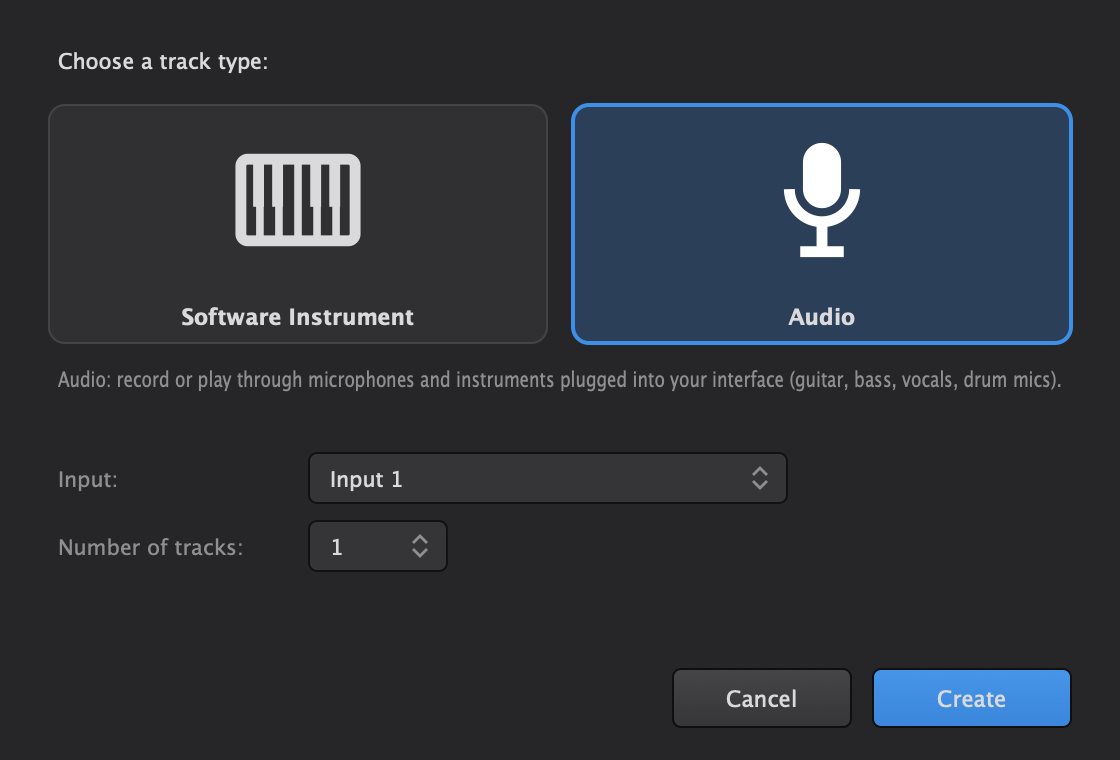
  • New Tracks works like Logic. Pick Software Instrument or Audio, choose an input, done.
  • Zero-latency built-ins: Compressor, Noise Gate, Limiter and Room Reverb.
  • Low Latency Mode bypasses plug-ins that add delay, just like Logic.
The New Tracks dialog offering Software Instrument or Audio, with input and number of tracks.

Logic-style mixer

The mixer you already know.

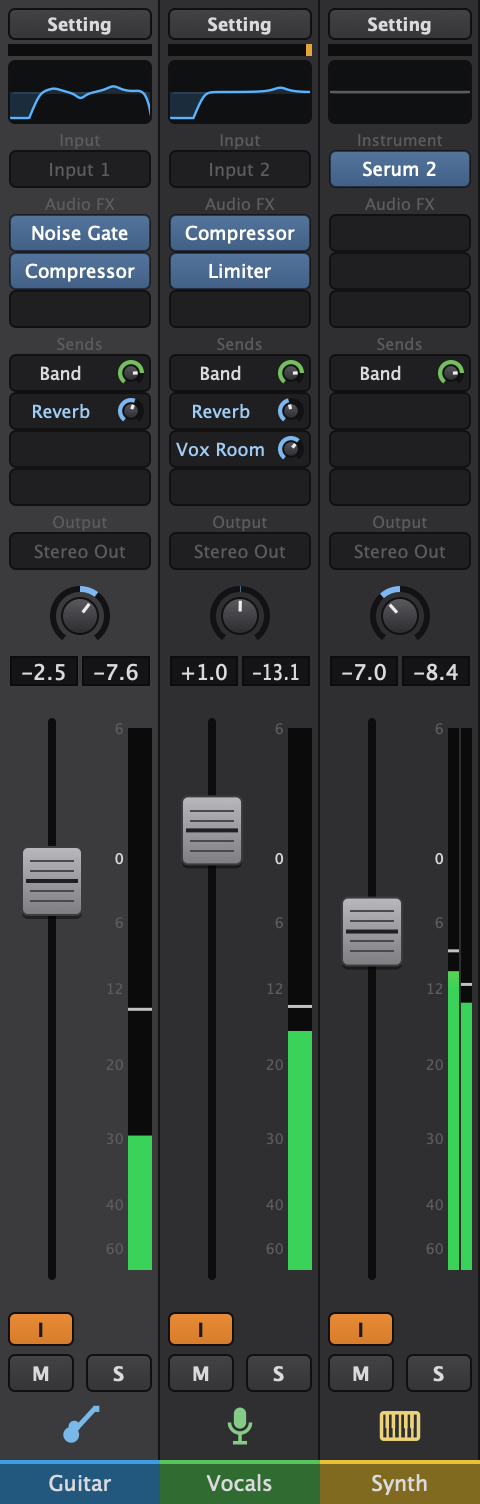
Setting, EQ, Input, Audio FX, Sends, Output, pan, fader, mute and solo, laid out the way Logic Pro does it. If you've mixed in Logic, you already know how to use it.

Your tracks: Guitar and Vocals with EQ, plug-ins and sends, and a Synth track playing Serum 2.
Your tracksMics, guitars and software instruments
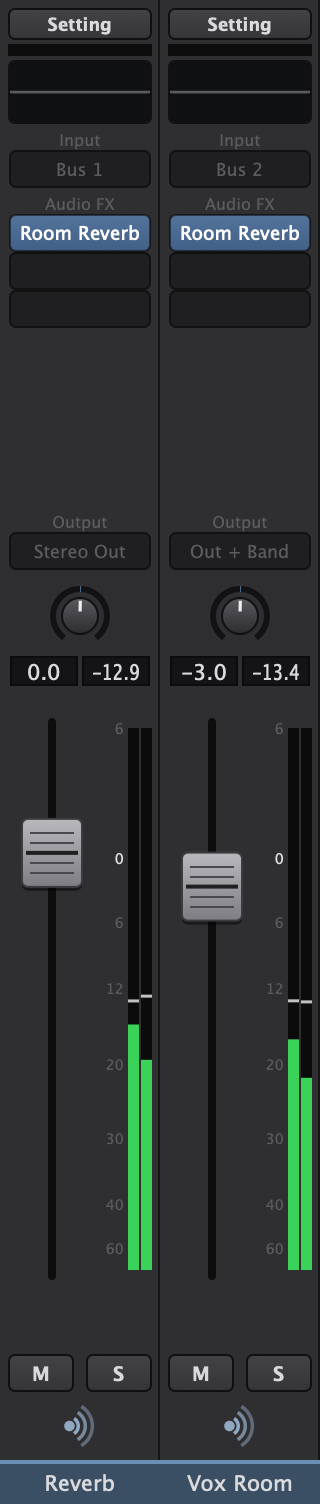
Two aux channels, Reverb and Vox Room, each with Room Reverb loaded.
Aux returnsShared effects through sends
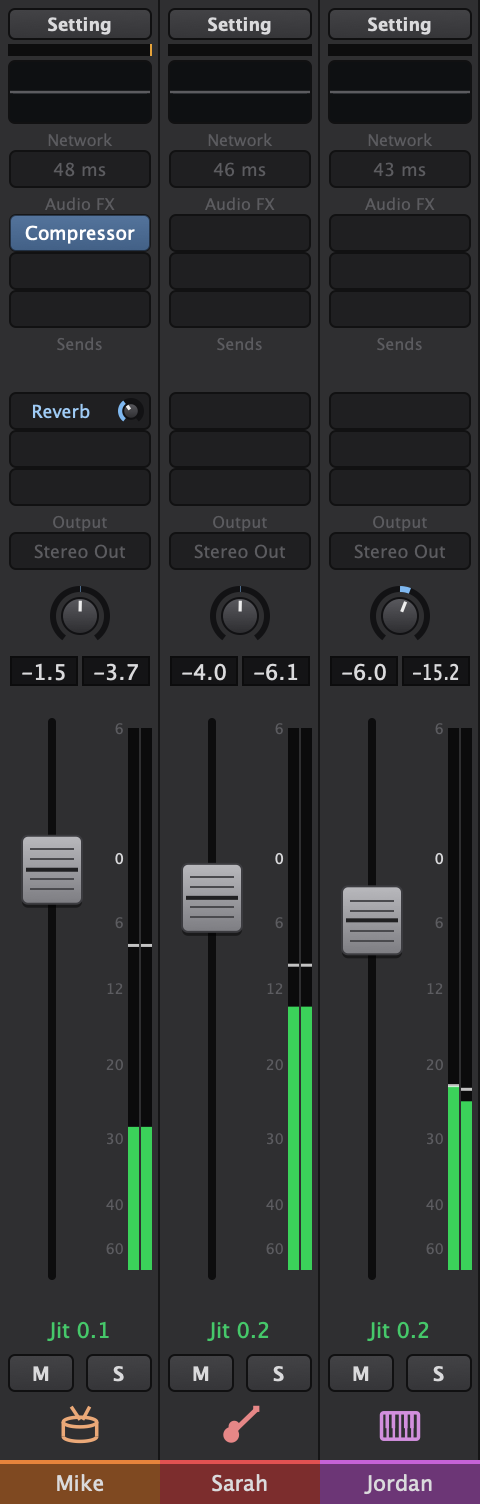
One strip per bandmate: Mike on drums, Sarah on bass, Jordan on keys.
Your bandmatesA full strip each, mixed your way
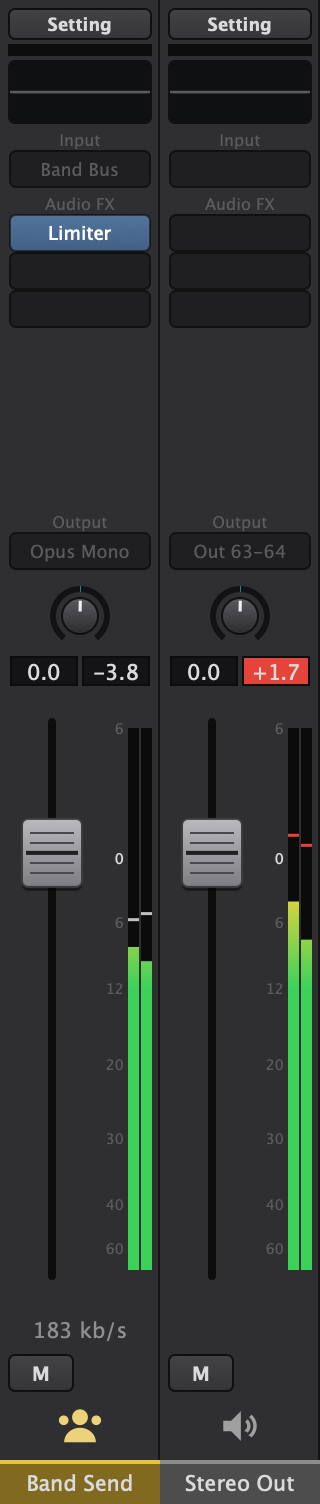
The Band Send bus with a Limiter, and the Stereo Out bus.
Band Send · Stereo OutWhat they hear · what you hear

Swipe to see the whole mixer →

Personal mixes

Everyone hears their own mix.

Turn the drummer up in your headphones without changing a thing for anyone else. Each bandmate is a channel strip on your mixer, with its own EQ, plug-ins, fader and pan.

  • The Band send sets how loud you are for everyone. Your fader is your call.
  • Aux sends work like Logic: reverb on the drums just for you, or a vocal reverb the whole band hears.
  • Remembered per player. Your mix of each bandmate comes back next time they join.
Reverb and Vox Room aux channel strips.
Bandmate strips for Mike, Sarah and Jordan, with a reverb send on Mike.

Channel EQ

Eight bands on every strip.

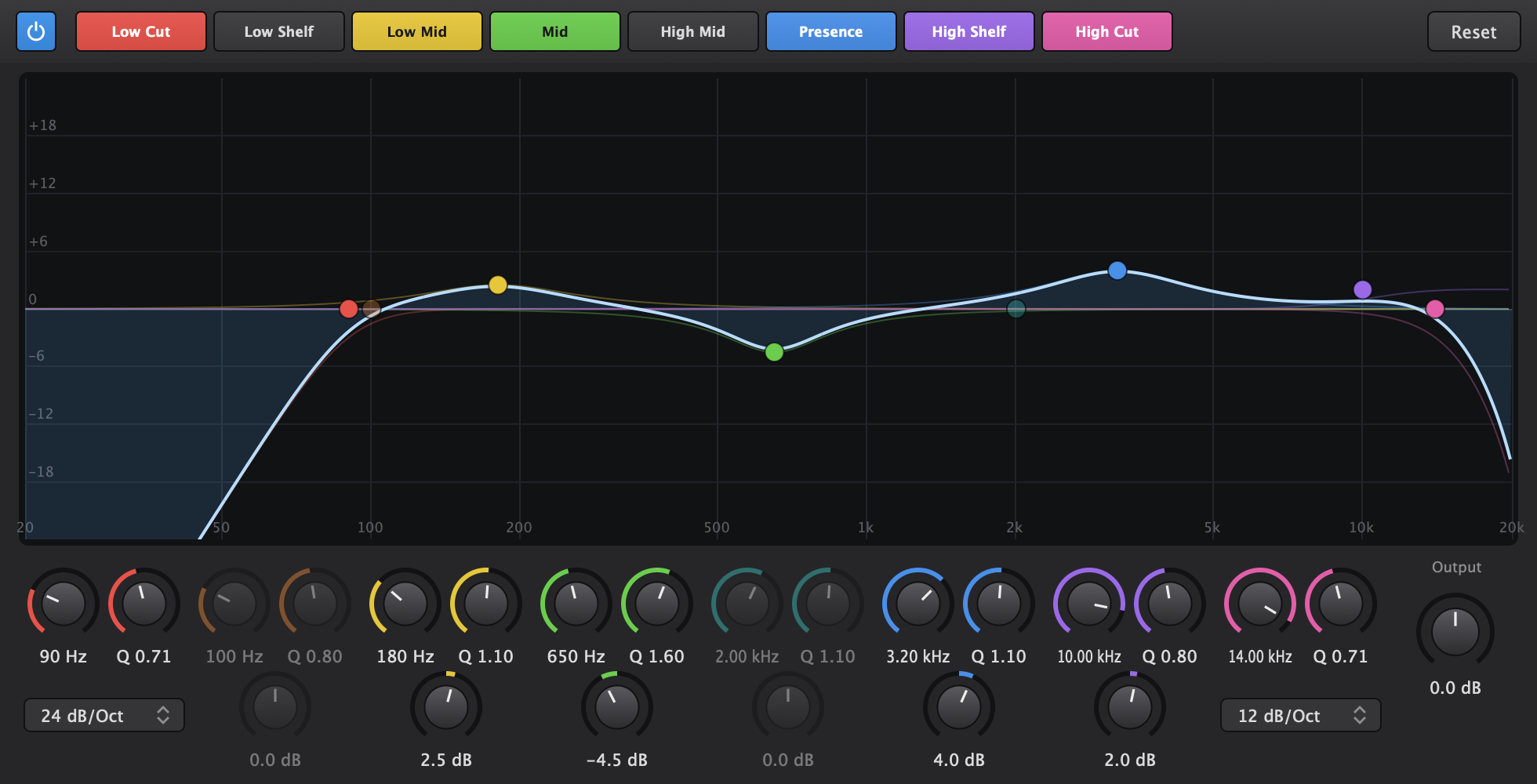
Low Cut, Low Shelf, four parametric bands, High Shelf and High Cut. Drag the nodes, scroll for Q, double-click to switch a band off. Click the EQ thumbnail on any channel strip to open it.

The Channel EQ editor with eight colour-coded bands shaping a guitar: low cut at 90 Hz, a cut at 650 Hz and a presence boost at 3.2 kHz.

Practice tools

Everything rehearsal needs.

The little things that keep a band together, built in.

Tuner

Press ⌘ U and tune the selected track's input, right in the middle of the jam.
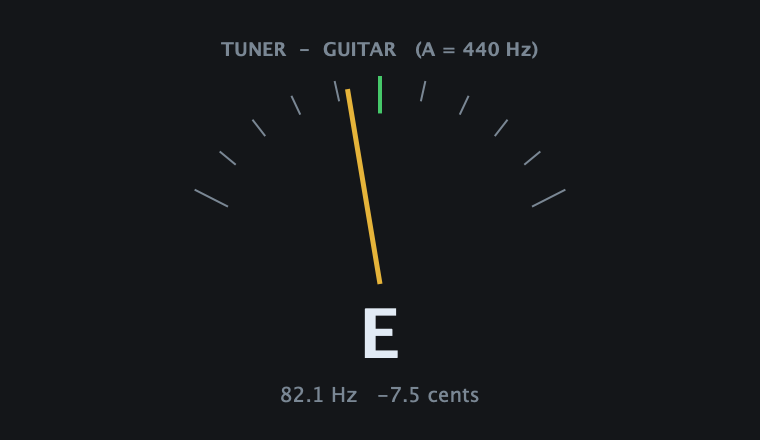
The tuner locked onto a low E string at 82.1 Hz.

See who's in the room

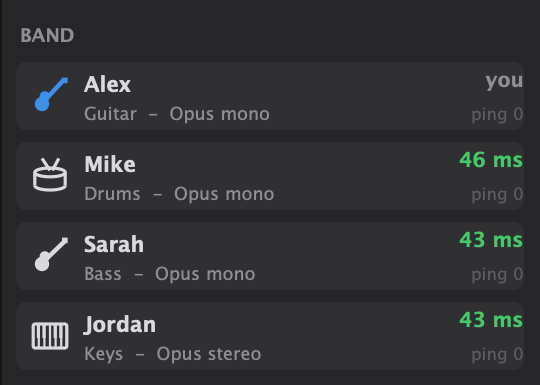
Every player, their instrument, their codec and how far behind you they are, live.

The band list: Alex on guitar, Mike on drums, Sarah on bass, Jordan on keys.

One click, shared

A metronome synced to the host's clock, so the click lands at the same moment for everyone. Plug-ins follow the tempo too.

The LCD showing bar 2, beat 1, a shared tempo of 96 and 4/4 time.

Record the jam

Hit R to capture exactly what you hear as a 24-bit WAV, ready to drag into Logic.

Low Latency Mode

⌥ L bypasses any plug-in that adds delay. The bypassed slots turn orange, just like in Logic.

Musical Typing

No keyboard with you? ⌘ K turns your Mac keys into notes, with Logic's layout.

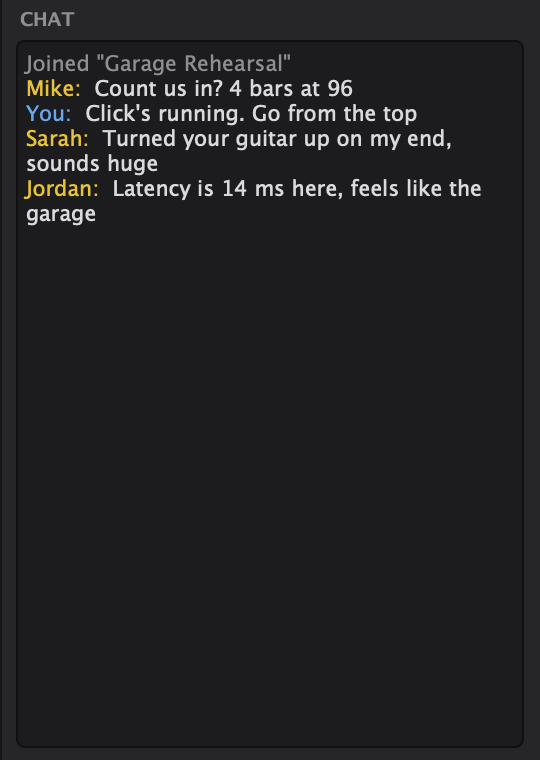
Band chat

Call the next song, the key or the tempo without stopping to talk over the music.

Band chat with messages from Mike, Sarah and Jordan.

Channel strip settings

Save your whole guitar chain once, then load it on any strip, any session. Copy and paste strips like in Logic.

How it works

Built for playing in time.

Every millisecond is accounted for, from your interface to their headphones.

Host

One player clicks Host and picks a server name and password. Their Mac becomes the meeting point.

Invite

Bandmates nearby type the server name. Everyone else pastes the invite code, which starts with RW-.

Play

Start the click, set your mix, and go from the top. Everyone hears everyone, with their own plug-ins on.

Your interfaceinput buffer
Your channel stripEQ · plug-ins
2.5 ms packetOpus or uncompressed
Host relays itinstantly, no mixing
Their mixadaptive jitter buffer

Tiny packets

Audio leaves your Mac in 2.5 ms frames over UDP, marked for priority on routers and Wi-Fi.

Relay, don't mix

The host forwards each player's audio the moment it arrives. No server-side buffering at all.

Buffer only what's needed

Each bandmate's buffer adapts to their connection and shrinks again when the network settles.

One clock

Everyone syncs to the host's clock, so the shared click and tempo-synced plug-ins stay locked.

RehearsalWare app icon

Get the band back together.

Download RehearsalWare, send your bandmates the link, and rehearse tonight.

RehearsalWare for Mac

Version 1.0 · 6.5 MB disk image
macOS 11 or later · Apple Silicon and Intel
Download for Mac
  1. Open the disk image and double-click Install RehearsalWare.pkg.
  2. If macOS blocks it, open System Settings → Privacy & Security and click Open Anyway. You only do this once.
  3. Launch RehearsalWare, allow microphone and local network access, and pick your interface in Settings.

Questions before you start? Read the FAQ.